How Tokenomist MCP authorizes your client with OAuth 2.1, the scopes it exposes, and how to resolve common sign-in issues.
Tokenomist MCP is protected by OAuth 2.1 (with PKCE). The first time your client connects, you’ll be redirected to a Tokenomist sign-in page to authorize access — after that, your client refreshes tokens silently.
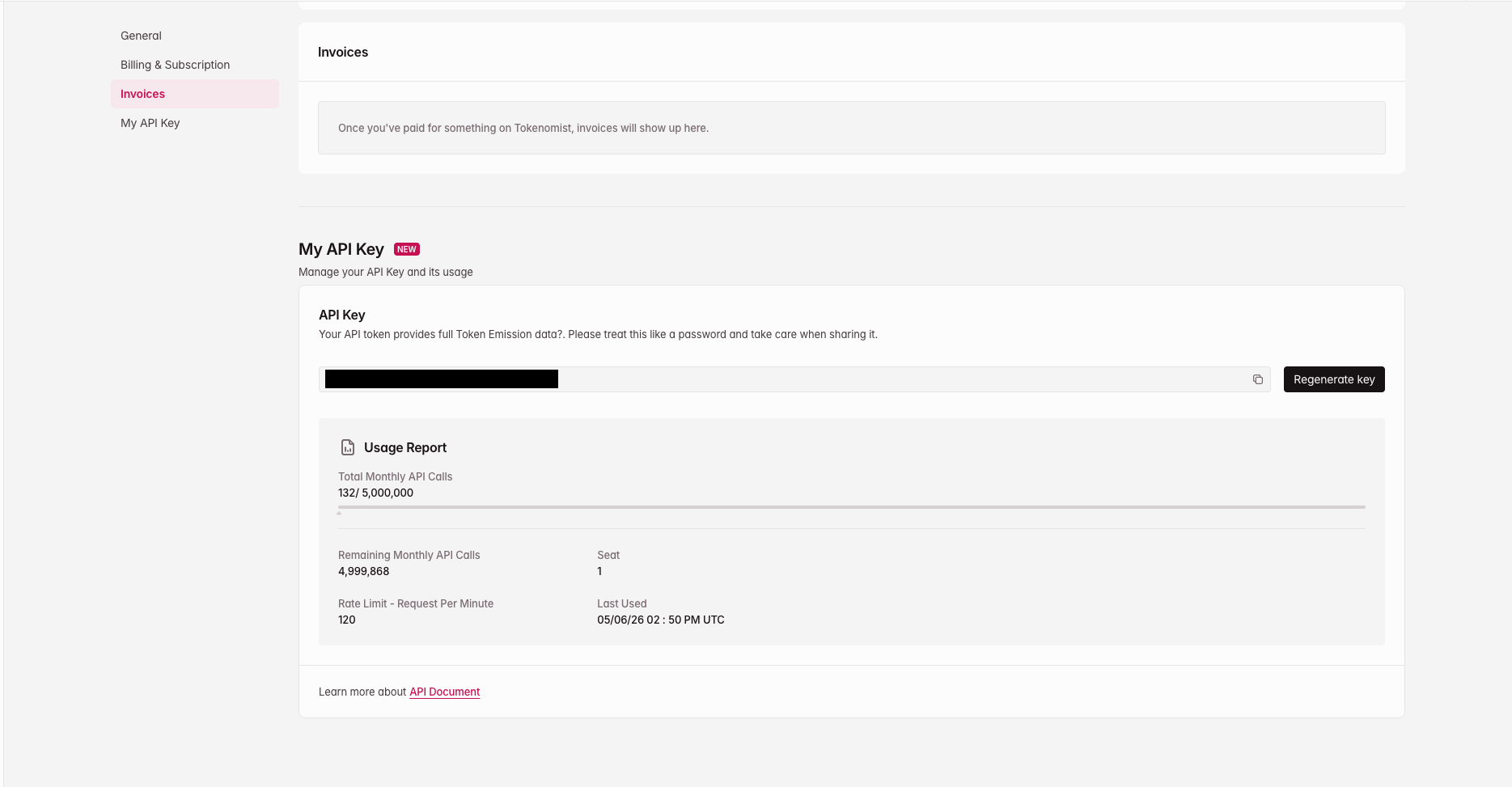
A Tokenomist API key. Find it at tokenomist.ai/profile#my-api-key under the My API Key section — copy it with the copy icon. If you don’t have one yet, generate it there. Rotating your API key revokes existing MCP sessions.
Find your API key at tokenomist.ai/profile#my-api-key
Add the Tokenomist MCP server to your client (see Getting started).
2
Authorization is discovered
On first connection, your client automatically discovers that authorization is required and opens a browser tab to the Tokenomist sign-in page.
3
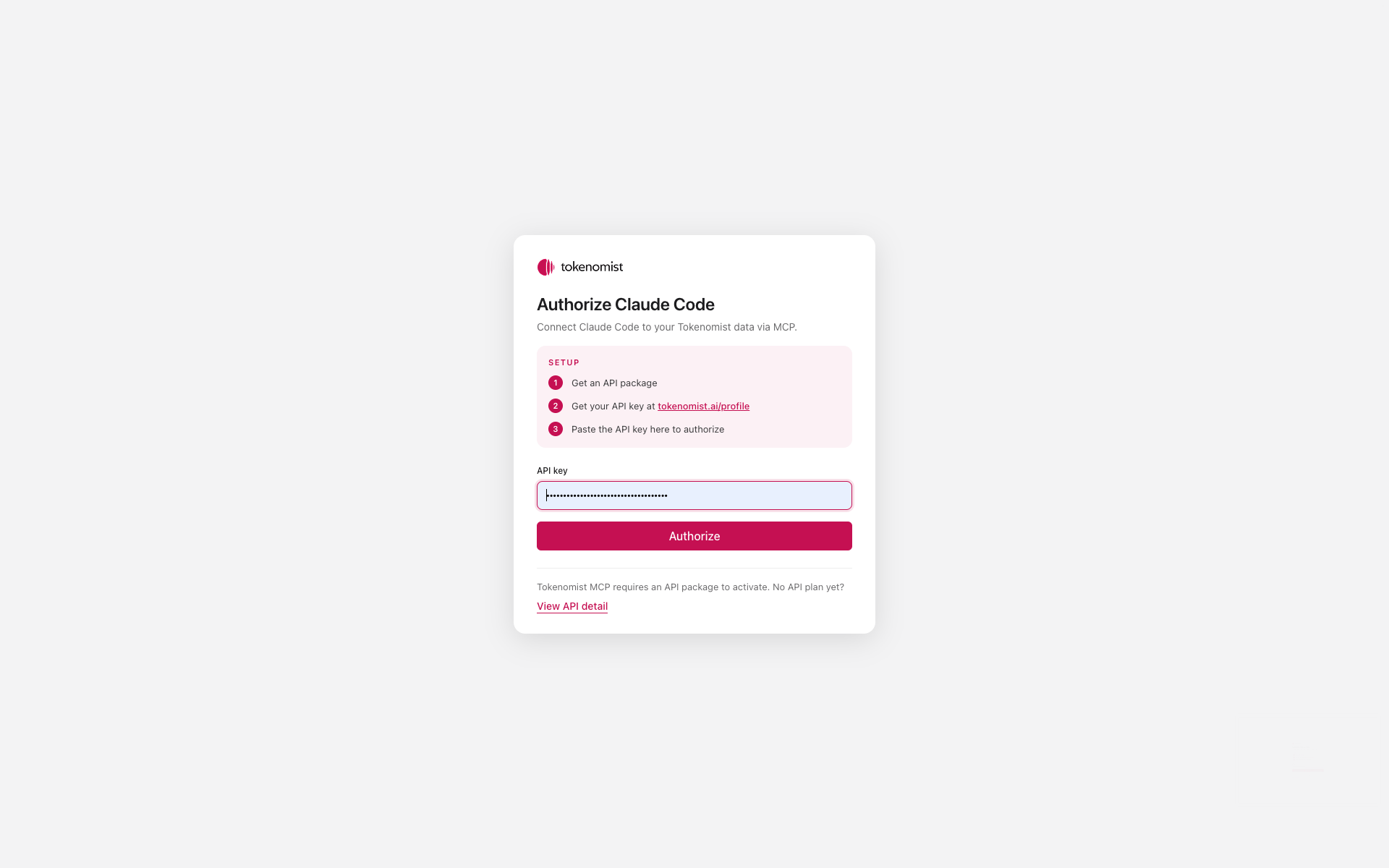
Paste your API key
Paste your Tokenomist API key on that page and click Authorize.
Paste your API key on the Tokenomist authorization page
4
Token is issued
The browser redirects back to your MCP client, which now holds a short-lived access token. Refreshes happen silently in the background.
5
You're connected
Subsequent tool calls happen automatically — no further prompts.
The browser flow only happens once per client + machine. If you reinstall your client, switch machines, or revoke your token, you’ll be prompted to authorize again.
mcp:write — used by the self-listing tools to create, update, and submit token listing drafts
Most clients request both scopes by default. Modern MCP clients (Claude Desktop, Claude Code, ChatGPT, Cursor, etc.) handle OAuth discovery, registration, and token refresh automatically — no manual configuration required.
The browser tab didn't open after I added the server.
Some clients only trigger the OAuth flow on the first tool call rather than at install time. Try sending a quick prompt like “List tokens on Tokenomist” — the sign-in page should open then.
I get an 'Unauthorized' or 401 error mid-conversation.
Your access token may have expired without a successful refresh. In most clients you can re-run the connection step (Claude Desktop: restart the app; Claude Pro: re-enable the connector; Claude Code: run /mcp, select tokenomist-mcp, then Authenticate). You’ll be sent through the sign-in page again.
How do I revoke a client's access?
Rotate your Tokenomist API key from your account settings. All existing MCP sessions tied to the old key are invalidated immediately. You’ll be re-prompted on the next request from any connected client.
I switched laptops / reinstalled my client and it's asking me to sign in again.
Expected. Tokens are stored locally per client + machine. Paste your API key on the sign-in page and you’re back in.
Can I use the MCP from a CI environment or headless server?
Not yet — the current flow requires an interactive browser sign-in. Headless / service-account auth is on the roadmap.