> ## Documentation Index
> Fetch the complete documentation index at: https://docs.tokenomist.ai/llms.txt
> Use this file to discover all available pages before exploring further.
# Compare Emission
> Visualize upcoming releases and market pressure across projects
# Emission Comparison
## Overview
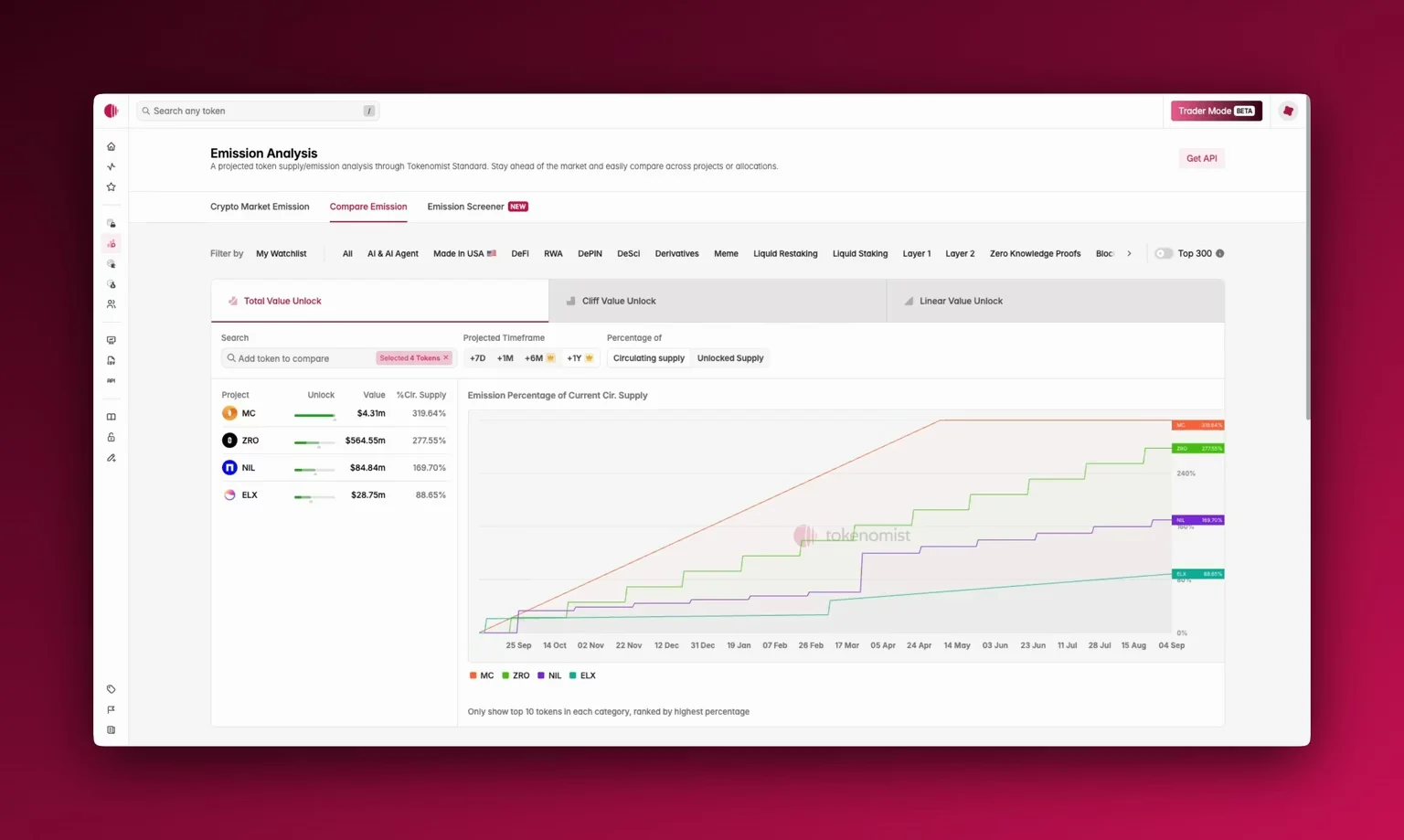
Rather than looking at emissions in isolation or the overall state of the market in [Crypto market emission](/crypto-market-emission), [**Emission Comparison**](/compare-emission) lets you see multiple tokens side by side, compare their upcoming releases, and visualize how much pressure each project is facing relative to supply. This context is essential — a single token release might look large in absolute terms, but when compared against peers in the same sector, it may be relatively small. Likewise, two projects might both unlock \$50m, but if one represents 2% of supply and the other 20%, the impact is very different.
 ## Accessing Emission Comparison
You'll find **Emission Comparison** in the top navigation, next to [crypto market emission](/crypto-market-emission), or through the sidebar.
When you open it, you'll see three panes at the top:
* **Total Value Unlock** shows the combined value of all unlocks, regardless of type.
* **Cliff Value Unlock** isolates sudden one-time releases (e.g., team or investor cliffs).
* **Linear Value Unlock** highlights tokens that are gradually released over time.
## Using Emission Comparison
Start by choosing your timeframe: one **week**, one month, or extended horizons of **+6 months** or even **+1 year** . You can add any project for side-by-side comparison. By default, the top tokens are ranked by highest emission percentage.
You can choose to view emissions as percentages of **circulating supply** (reported by [CoinGecko](https://coingecko.com)) or by **unlocked supply** (the current released supply). Please see [Supply Metrics](/supply-metrics) to learn more about how we define various types of supply.
**Pro** users can also export all comparison data as a **CSV** for deeper analysis.
## Where To Next?
* Learn how we categorize [Cliff and linear releases](/cliff-and-linear-emission).
* See how you can utilize [Crypto Market Emission](/crypto-market-emission) and [Emission Screener](/emission-screener) together with Emission Comparison.
* Export data for custom analysis with [CSV Download](/csv-download).
## Accessing Emission Comparison
You'll find **Emission Comparison** in the top navigation, next to [crypto market emission](/crypto-market-emission), or through the sidebar.
When you open it, you'll see three panes at the top:
* **Total Value Unlock** shows the combined value of all unlocks, regardless of type.
* **Cliff Value Unlock** isolates sudden one-time releases (e.g., team or investor cliffs).
* **Linear Value Unlock** highlights tokens that are gradually released over time.
## Using Emission Comparison
Start by choosing your timeframe: one **week**, one month, or extended horizons of **+6 months** or even **+1 year** . You can add any project for side-by-side comparison. By default, the top tokens are ranked by highest emission percentage.
You can choose to view emissions as percentages of **circulating supply** (reported by [CoinGecko](https://coingecko.com)) or by **unlocked supply** (the current released supply). Please see [Supply Metrics](/supply-metrics) to learn more about how we define various types of supply.
**Pro** users can also export all comparison data as a **CSV** for deeper analysis.
## Where To Next?
* Learn how we categorize [Cliff and linear releases](/cliff-and-linear-emission).
* See how you can utilize [Crypto Market Emission](/crypto-market-emission) and [Emission Screener](/emission-screener) together with Emission Comparison.
* Export data for custom analysis with [CSV Download](/csv-download).